
Using Wrap · Set up clients, projects and rates
How to create a client in Wrap
Add a client name and short code so projects and phases stay organized.
Before you start
- Who can do this
- Owner or Admin
- You need
- Permission to open Clients.
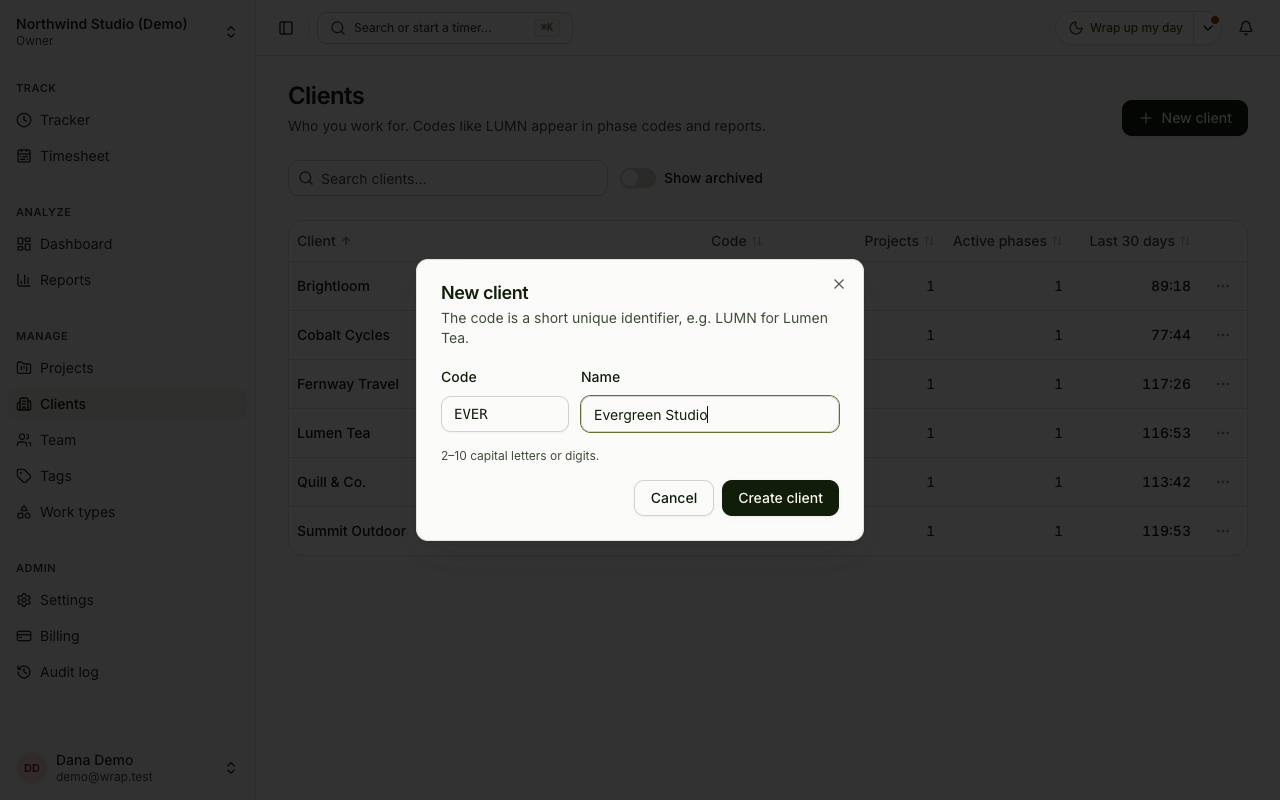
Steps
- 01
Open Clients
Choose Clients under Manage in the sidebar, then click New client.
- 02
Enter the name
Fill in Name. Wrap suggests a short code while you type.
- 03
Review the code
Use a unique Code containing 2–10 capital letters or digits. You can replace the suggestion.
- 04
Create the client
Click Create client. Confirm the client appears in the list, then select it when you create a client project.
What you should see
The client becomes available in project setup.
Good to know
- Client codes must be unique within the organization.
- Creating a client does not create a project or phase.
Keep going
Put the answers to work
on tomorrow’s timesheet.
Try Wrap with your own team. Free for up to 10 active members.